 MCDock
One program. Everything your team needs.
Git hosting, reviews, pipelines, backups and admin tools, made for Windows servers and engineering teams.
Git hosting and code review
Repositories, branches, pull requests with approvals, protected branches, CODEOWNERS and merge-when-ready.
- Pull requests with diff, comments, approvals and three merge styles
- Branch protection enforced on every push: no force-push, required reviews, required checks
- Merge when ready: merges itself as soon as approvals and checks pass
- Issues, releases, activity feed and a personal My work page
- Code search, blame, history, commit graph and a web editor that runs the same checks as a push
CI/CD pipelines
Pipelines in .mcdock/pipeline.yml, runners built into the same program, environments with approvals.
- Stages, jobs, branch filters, manual jobs, timeouts and job variables
- Runners are the same
mcdock.exe: outbound connection only, PowerShell, cmd or bash - Live logs, artifacts and JUnit test reports
- Environments with approvers, allowed branches and a two-person rule
- Masked, protected and environment-scoped variables
Backups you can trust
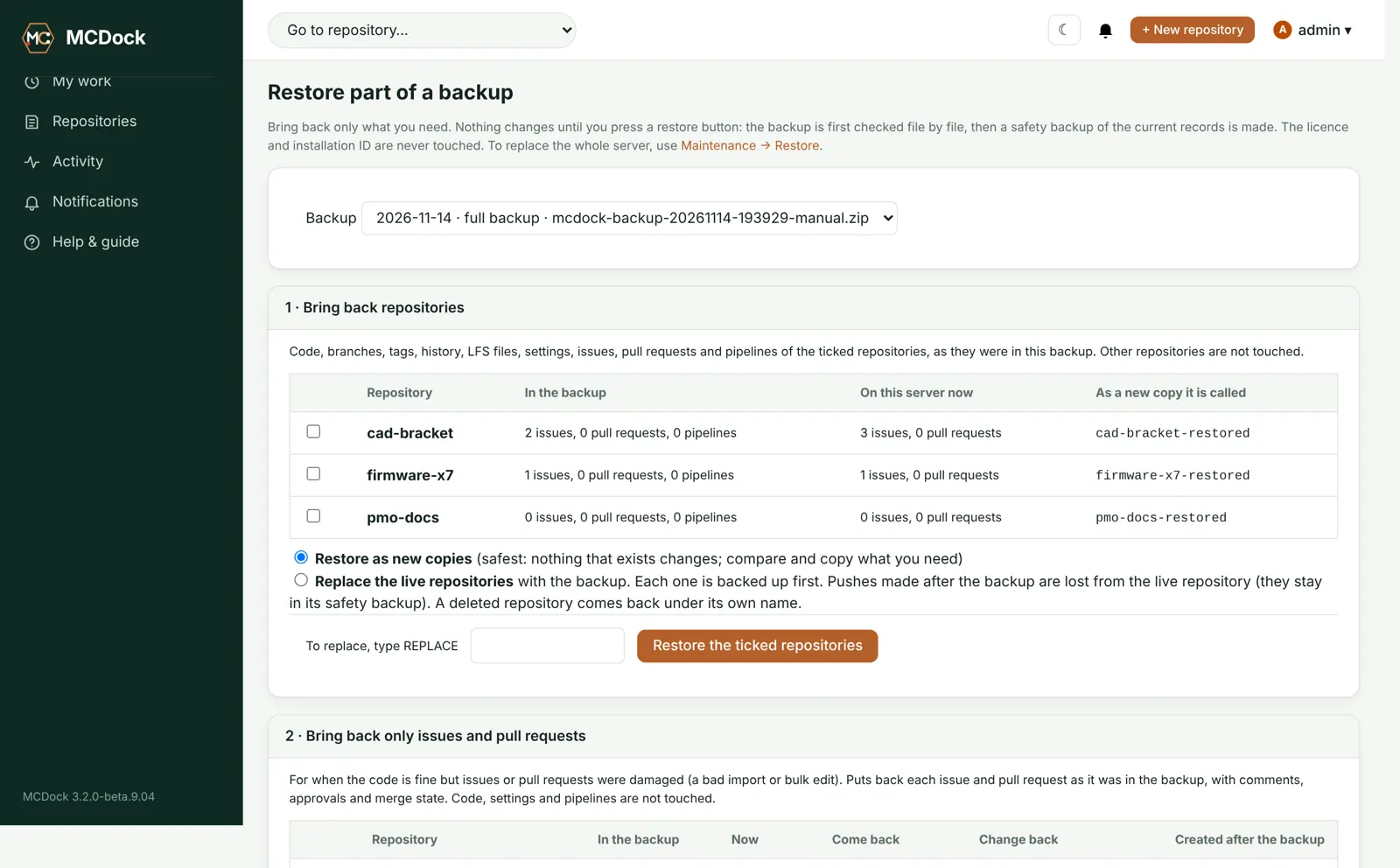
Server and repository backups on a schedule, a NAS copy, weekly restore tests and restore of just the part you need.
- Server backup (settings, users, permissions, pipelines set-up) every 4 hours and after admin changes
- Repository backup nightly, hourly for critical repositories; unchanged ones are skipped
- Every backup is written locally and copied to a NAS; restores fall back to the other copy
- Restore a repository as a copy, replace it, or bring back one branch
- Optional AES-256 encryption with a recovery key you keep
Repository health
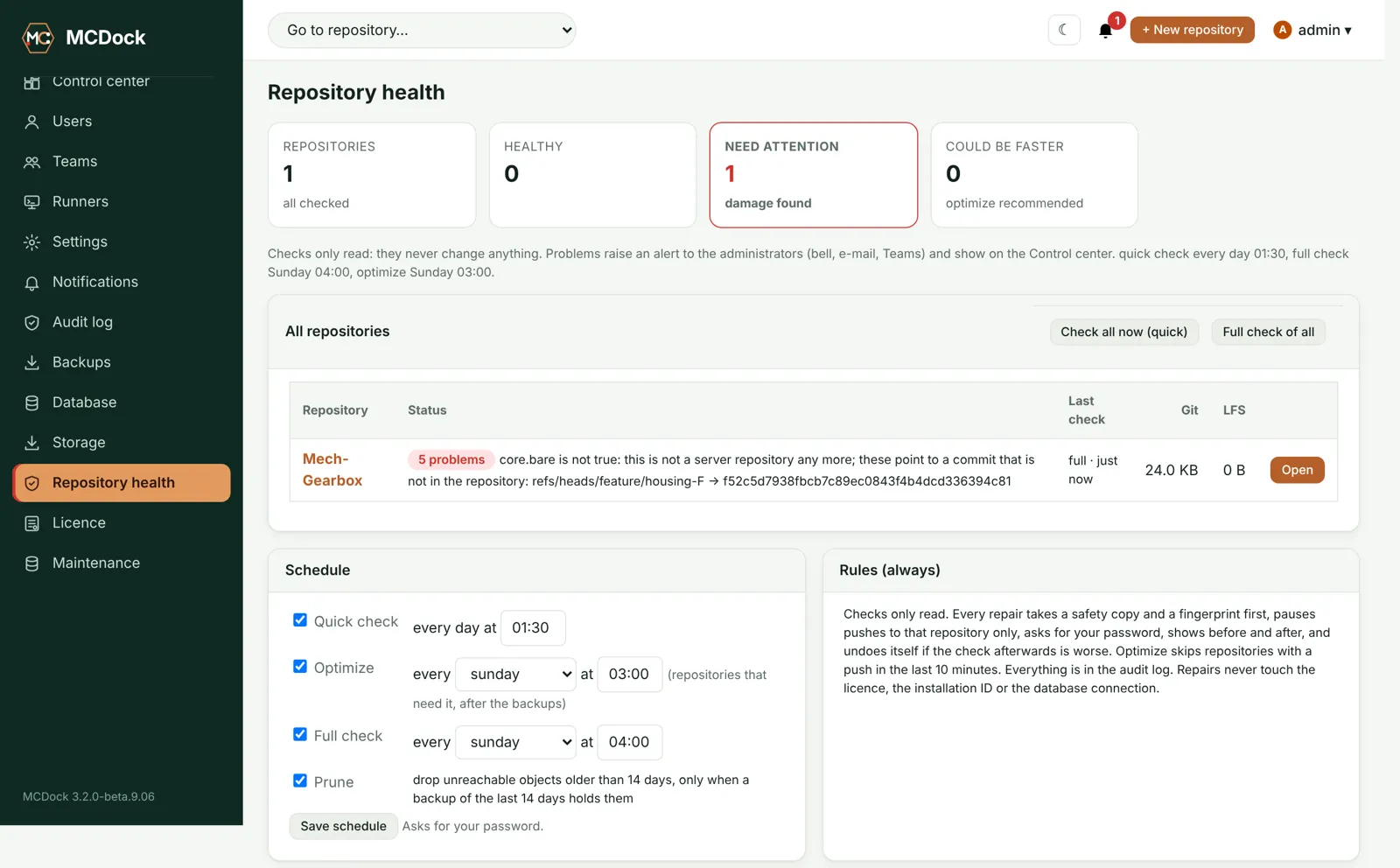
Every repository is checked every night. Problems raise an alert, and a guided repair fixes them safely.
- Quick check nightly, full check weekly; checks only read
- Fix it (guided): safety copy first, pushes to that repository wait, before/after comparison, automatic undo if worse
- Recover missing data from a backup, a remote or an engineer's clone
- Optimize speeds up slow repositories
SQLite or PostgreSQL
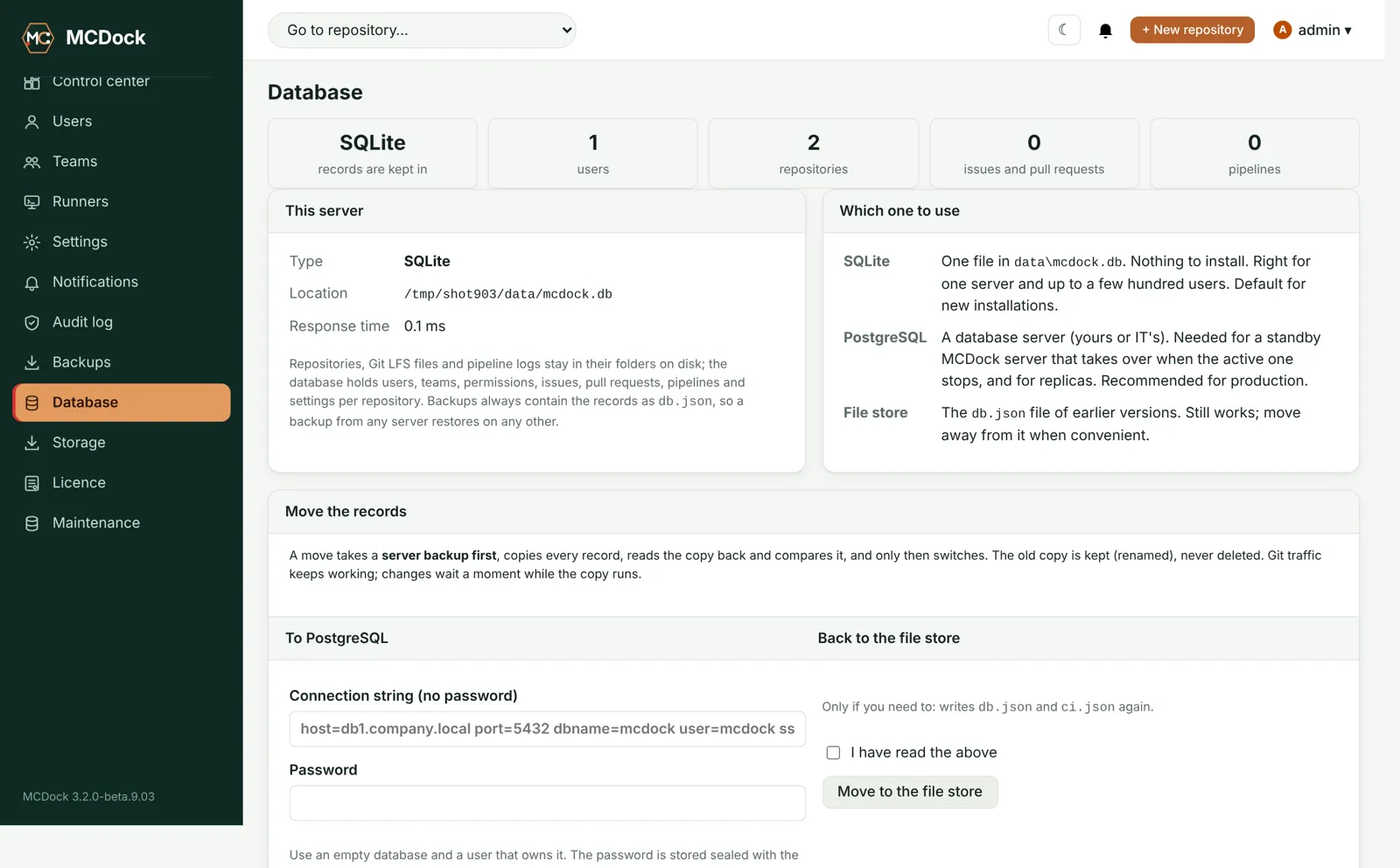
Start on SQLite with nothing to install. Move to PostgreSQL with a standby server when you grow.
- Every move takes a backup, copies, reads back and compares before it switches
- Active/passive standby on PostgreSQL
- Clear diagnostics and a recovery page when the database stops answering; Git keeps reading meanwhile
E-mail and Teams alerts
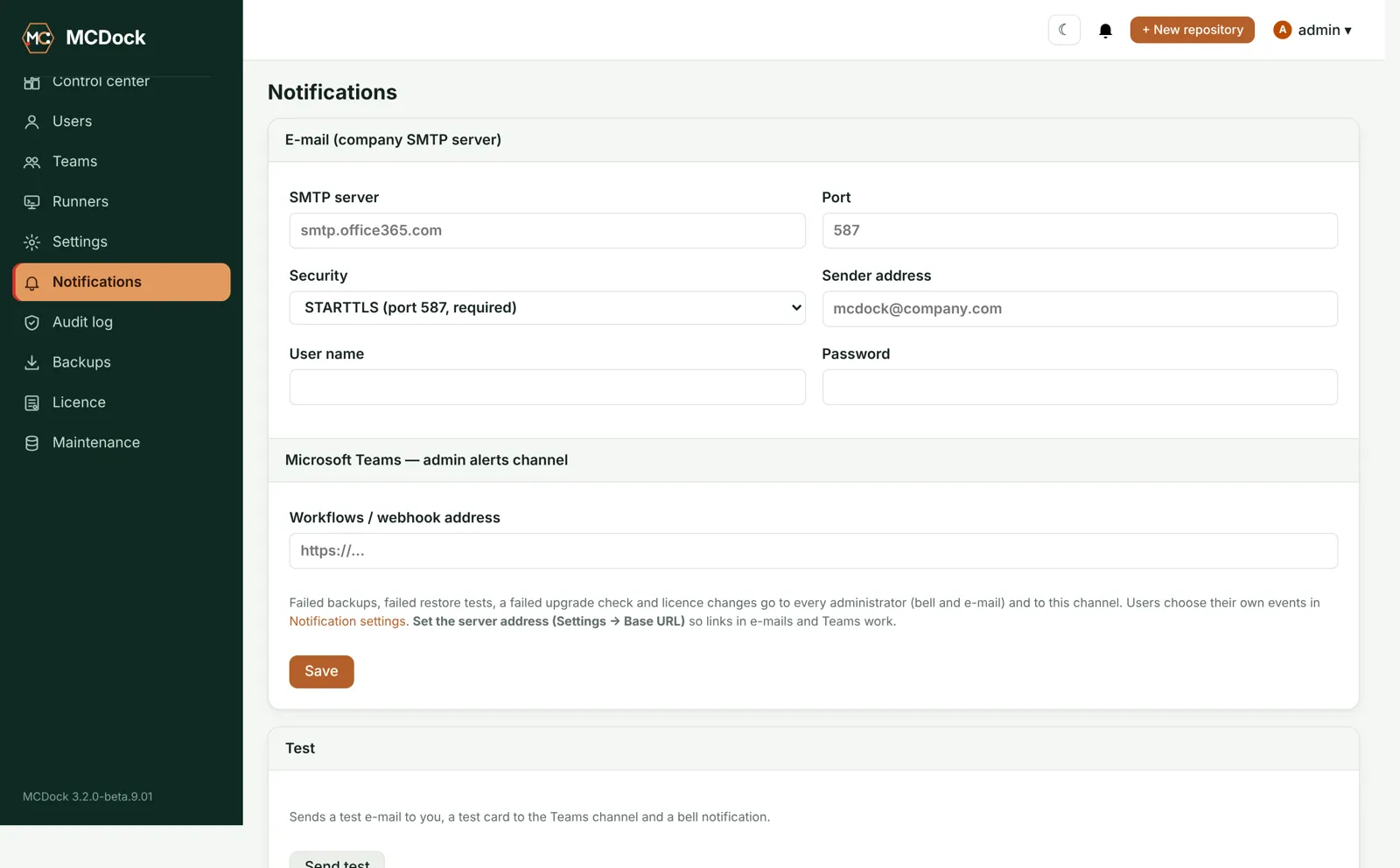
People choose bell, e-mail or Teams for each event. Admins get failed backups, low disk and upgrade problems.
- Mentions, assignments, reviews, merges and failed pipelines
- Company SMTP server with STARTTLS and a Teams channel for admin alerts
- Test button for both
Made for engineering files
Git LFS and file locking built in, and viewers for PDF, 3D, DXF/DWG, Gerber, KiCad and firmware images.
- Large files go to LFS automatically; lock files that can't be merged
- Repository templates for Software, Mechanical/CAD, Electronics/PCB and Documents/PMO
- Viewers: PDF, STL/OBJ, DXF (DWG with a converter), Gerber and drill, KiCad boards and schematics, Intel HEX, S-record, ELF and UF2
- Open in your IDE or Git client with one click
Storage under control
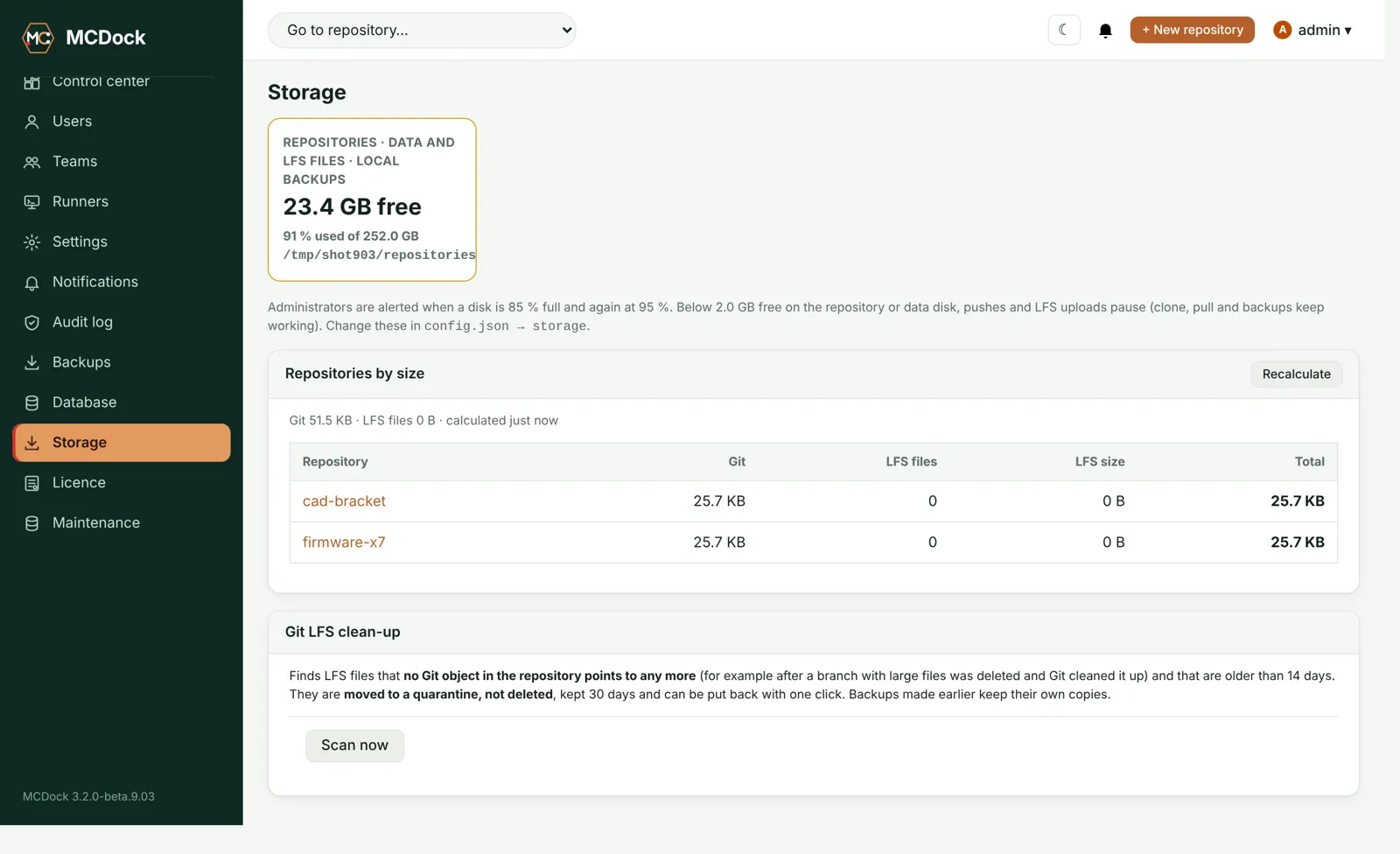
Free space and repository sizes at a glance, alerts at 85% and 95%, and a safe Git LFS clean-up.
- Pushes pause below 2 GB free, while clone and pull keep working
- Unused LFS files move to a 30-day quarantine, never straight to deletion
Signed, one-click upgrades
Only releases signed by the MCDock owner install. A backup comes first and rollback is one click.
- The owner tool signs and installs a new version, then shows what changed and what didn't
- Every repository is fingerprinted before the upgrade and checked after it, before any push is accepted
- Upgrades never touch your data, licence or database settings
Keeps your clone addresses
Move to MCDock without changing clone URLs: existing repository addresses keep working.
REST API and webhooks
Scoped, expiring API tokens and standard webhooks for your build and automation tools.
Coming next
📚 Wiki and documents
Spaces, pages and controlled documents next to your code.
🗂 Projects and boards
Issues, boards, sprints and portfolio views for engineering and PMO teams.
🎧 Service desk
A help portal and ticket queue for internal and customer support.
🚚 Migration tools
Bring repositories, history, issues and pages over from your current tools. Nothing is deleted at the source.